
TL;DR:
- Stream overlays go beyond decoration by communicating brand identity, real-time community data, and guiding viewer attention.
- Their purposeful design enhances viewer engagement, long-term retention, and creates a professional broadcasting impression.
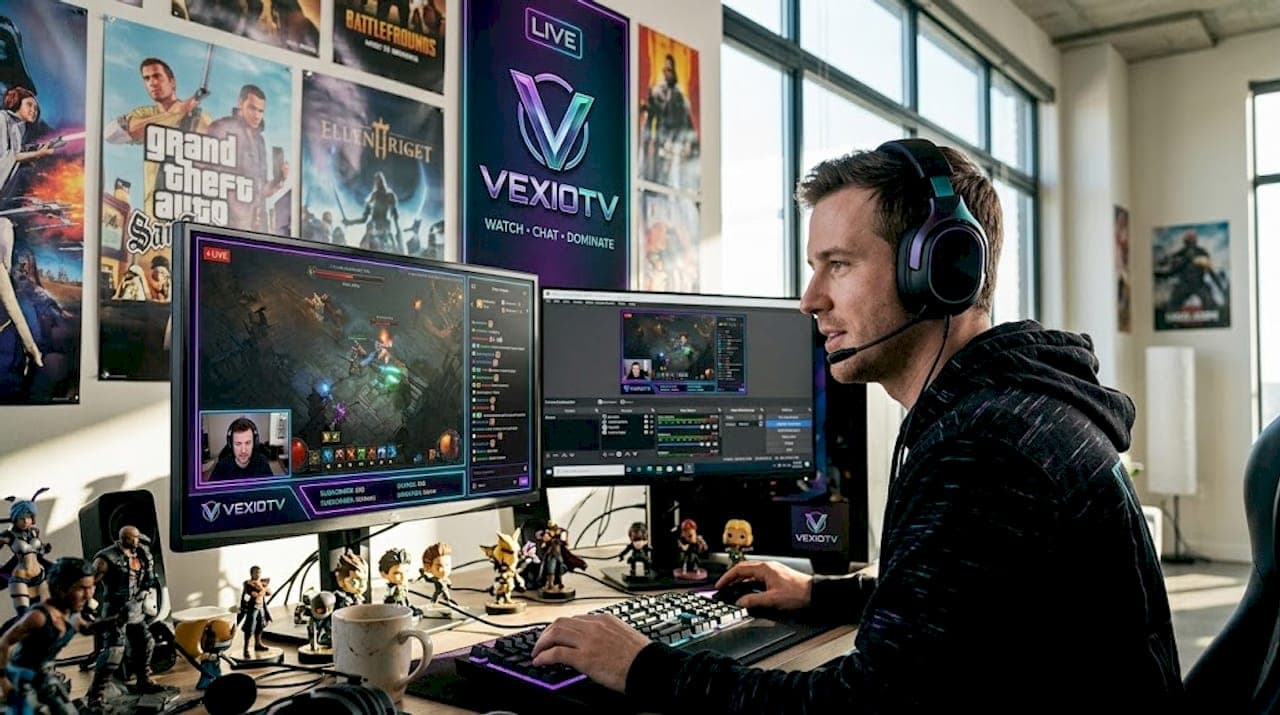
Stream overlays get dismissed as decoration more often than they deserve. Many streamers slap on a free template, call it done, and wonder why their channel feels flat. But the role of overlays in gaming streams goes well beyond visual polish. Overlays communicate brand identity, deliver community information in real time, and guide viewer attention through the arc of a stream. When designed with purpose, they function as a broadcast system, not just a skin. This guide breaks down what overlays actually do and how to use them to your advantage.
Table of Contents
- Key Takeaways
- The role of overlays in gaming streams
- Overlay types and design best practices
- Overlay technology and setup options
- How overlays work as storytelling tools
- My take on overlay design after years of watching streams
- Start streaming smarter with Vexiotv
- FAQ
Key Takeaways
| Point | Details |
|---|---|
| Overlays serve functional roles | Beyond looks, they display chat, alerts, goals, and real-time community data. |
| Design discipline matters | Gameplay should occupy 70-80% of screen space to prevent viewer distraction. |
| Storytelling tool | Overlays pace attention and deliver emotional cues that keep viewers watching longer. |
| Technology options vary | Browser-based tools reduce CPU load; desktop software like OBS enables reactive, event-driven overlays. |
| Custom overlays pay off | A quality custom overlay investment typically returns value within two months through improved retention. |
The role of overlays in gaming streams
Overlays are graphic layers placed over your live feed. They cover everything from webcam frames and chat boxes to donation goal bars and alert animations. At their core, overlays do three things: they brand your channel, they inform your audience, and they hold viewer attention.
The branding function is the most underused. Your logo, color palette, and typography live in your overlay. Every time someone clips your stream or screenshots a moment, your identity travels with it. Channels that build consistent visual identity through overlays get recognized faster across platforms than those using generic templates.
The information function is more obvious but often cluttered. Overlays display recent followers, subscriber counts, donation progress, and active chat. For 24/7 streams, they maintain brand presence and provide context that reduces viewer drop-off, keeping audiences engaged without requiring them to search elsewhere for context.
Here is what well-designed overlays accomplish in practice:
- Show real-time community activity so viewers feel part of something live
- Display donation and subscriber goals that drive participation
- Alert new followers and subscribers with animations that reward both the new viewer and entertain existing ones
- Reinforce channel colors and logo placement across every scene
- Signal scene changes, breaks, and transitions without verbal announcements
Pro Tip: Treat every overlay element as a piece of broadcast infrastructure. Ask what job it does. If it has no job, remove it.
The importance of overlays in streaming becomes clearest when you remove them entirely. Streams without any overlay look raw, unstructured, and harder to follow. Even minimal overlays signal that a streamer is serious about their channel.
Overlay types and design best practices
Knowing what types exist is step one. Using them correctly is where most streamers fall short.
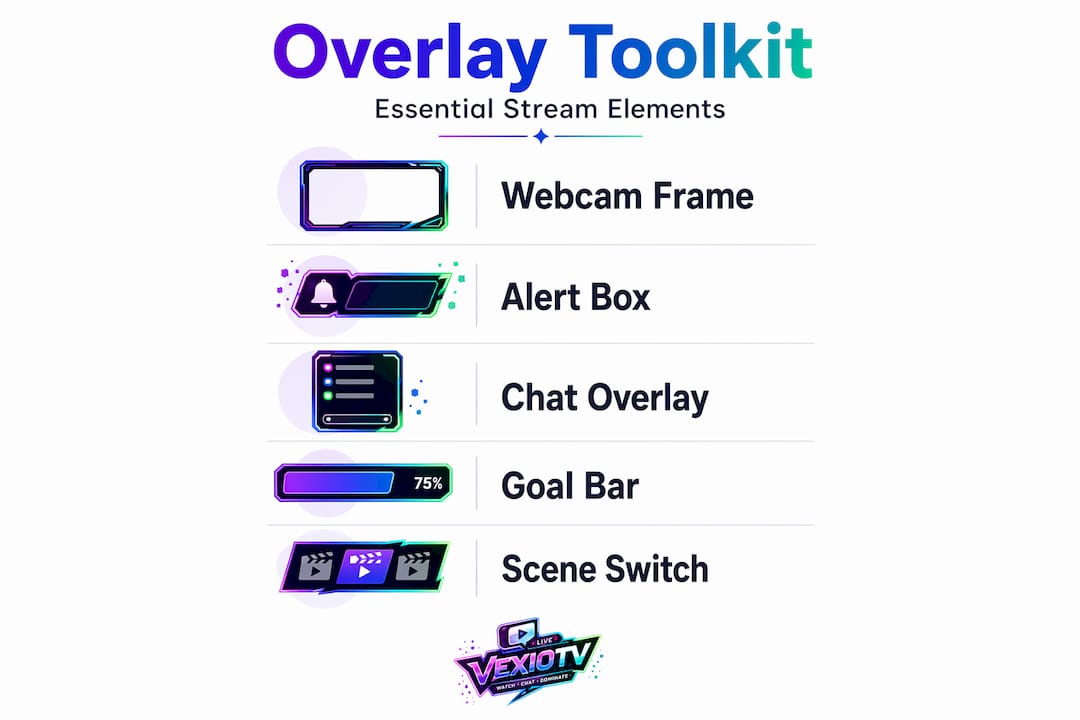
The standard overlay toolkit includes webcam frames, alert boxes, chat overlays, goal bars, and scene-specific elements like starting-soon screens or BRB panels. Each serves a different audience need. Webcam frames direct attention to your face during key moments. Alert boxes reward community actions. Chat overlays let viewers on other platforms see the conversation.
The design principle that separates good overlays from bad ones is restraint. Gameplay capture should occupy 70 to 80 percent of the screen during gaming scenes. Just Chatting layouts can shift more space to the camera, around 40 to 60 percent, but the rule stays the same: the content gets the most room.

| Overlay element | Recommended placement | Common mistake |
|---|---|---|
| Webcam frame | Bottom corner, 15-20% screen width | Centering it over action |
| Alert box | Top or bottom edge, brief display | Looping alerts that stay on screen |
| Chat overlay | Vertical side strip | Full-width bar blocking gameplay |
| Goal bar | Bottom edge, thin and horizontal | Tall bars eating into gameplay area |
| Scene labels | Brief fade-in, top edge | Permanent labels cluttering the screen |
The "invisible" overlay concept is the gold standard. Top-tier overlays use layered opacity and staged reveals so they never compete with gameplay. Animations appear, communicate their message, and disappear. Flashing borders and sparkle effects that loop continuously are the fastest way to train viewers to ignore your overlay entirely.
Mobile-first vertical overlays are no longer optional for streamers targeting younger audiences. Major esports platforms now adopt vertical overlays for mobile audiences, with events like ESL Faceit tournaments setting the standard. If your audience skews toward mobile viewers, a vertical layout should be part of your scene setup.
Pro Tip: Design your overlay at 1080p, then scale it down to 720p and check it. If elements overlap or become unreadable, simplify before going live.
Overlay technology and setup options
Getting overlays live requires choosing the right tool for your setup. The options split into two categories: browser-based and desktop software.
Browser-based tools like StreamYard offer minimal technical setup. Overlays render in the cloud, which reduces CPU strain and improves stream stability. You can add lower-thirds, logos, and basic alerts without touching a single settings file. For streamers who want to go live fast without a steep learning curve, this is the practical starting point.
Desktop software like OBS and Streamlabs gives you more control at the cost of more complexity. These platforms support reactive overlays, which are one of the most underutilized tools in streaming. Reactive overlays on Streamlabs Desktop respond to in-game events like kill streaks and victories, triggering automated animations and alerts that create genuine excitement in real time. Supported titles include Apex Legends, Fortnite, and Valorant.
A few performance factors to keep in mind:
- Reactive overlays can create system overhead if they use OS-level hooks. Lightweight browser sources in OBS are the fix for this, keeping frame rates stable while animations run.
- Cloud-hosted overlay systems allow quick updates and multi-platform branding continuity without rebuilding local scenes from scratch.
- Multistreaming setups benefit from overlays designed at consistent aspect ratios across all output destinations.
For streamers who want to optimize their stream workflow, the technology choice matters less than the discipline to keep overlays light, consistent, and purpose-built for each scene type.
How overlays work as storytelling tools
This is the part most streamers completely overlook. Overlays are not just containers for information. They are delivery mechanisms for story beats and emotional cues.
Think about how a well-run stream builds tension. A health bar dropping during a boss fight has more impact when a visible goal meter for subscriber milestones is climbing at the same time. Two real-time narratives run simultaneously. Viewers track both without being told to. That dual attention loop is what keeps someone watching for two hours instead of ten minutes.
Overlays function as delivery mechanisms for emotional cues that guide viewers and increase retention when designed with traditional narrative techniques. Micro-narratives, which are small story arcs inside a stream, get pacing support from overlays. A staged reveal of a subscriber goal at the 30-minute mark creates anticipation. An alert animation that fires when the goal is hit gives the moment a payoff.
Here is how to use overlays to build viewer engagement deliberately:
- Use countdown overlays before major in-game events to build anticipation
- Display chat on screen to give lurking viewers a sense of active community
- Stage alert animations to appear only during pauses or low-action moments, not during clutch plays
- Use scene-specific overlays to signal mood shifts, like moving from a high-energy gameplay scene to a calm discussion scene
"Creators should view overlays as delivery mechanisms for story beats, using narrative techniques to reduce viewer cognitive friction and increase retention." — Story-first overlay design for live streams
Cognitive overload is the risk here. Too much movement, too many alerts, and too much information all compete for attention at once. The solution is hierarchy. Decide what deserves attention first, second, and third, then design your overlay to communicate that order visually.
The benefits of stream overlays extend into long-term brand building through this consistency. Viewers who see the same design language, alert sounds, and color palette across multiple streams start to associate those elements with your channel specifically. That recognition is what custom overlays for game streaming do that no template can replicate.
My take on overlay design after years of watching streams
I've spent a long time watching streamers at every level make the same mistake: they treat overlays as the last thing to think about, not the first. They spend weeks on game selection, microphone placement, and streaming schedule. Then they grab a free template the night before launch and ship it.
In my experience, that order needs to flip. The overlay is the first thing a new viewer sees before they hear you speak or watch you play. It communicates whether you take this seriously. A custom overlay ecosystem with unique logos, alert sounds, and scene transitions builds brand recognition that generic templates simply cannot match.
I've also noticed that streamers who invest deliberately in overlays early tend to retain subscribers better. A quality custom overlay investment of $200 to $800 often pays off within two months through improved follower retention and subscription conversion. That is not a coincidence. Viewers stay when the channel feels professional and consistent.
The discipline part is harder than the design part. Many streamers build a good overlay and then keep adding to it. One more widget. One more alert. One more social panel. Resist that. Restraint is what separates broadcasts that feel clean from ones that feel chaotic.
— M7
Start streaming smarter with Vexiotv
Vexiotv gives streamers a direct path from setup to going live without extra steps getting in the way.
If you are working on how overlays enhance gaming streams and want a platform that supports your broadcast setup, Vexiotv is built for that. Whether you are a casual streamer testing your first layout or a creator refining a full custom overlay system, Vexiotv provides the space to build and grow. The platform supports gaming, creative content, and community monetization in one place. You can go live on Vexiotv and start putting your overlay work in front of a real audience today. Visit Vexiotv to learn more about streaming tools and creator resources that match where you are right now.
FAQ
What is the role of overlays in gaming streams?
Overlays serve as graphic layers that display branding, real-time community data, alerts, and scene information over a live stream. They support viewer engagement, brand identity, and broadcast structure simultaneously.
How do overlays enhance gaming streams?
Overlays pace viewer attention, reward community actions through alert animations, and display goals that drive participation. Well-designed overlays keep viewers watching longer by creating real-time narrative layers alongside gameplay.
What are the best practices for overlay design on Twitch streams?
Gameplay should occupy 70 to 80 percent of the screen, with overlay elements using layered opacity and brief animations to avoid distracting from the content. Minimal, purposeful design outperforms busy templates every time.
Should I use a custom overlay or a free template?
Custom overlays produce stronger brand recognition and better viewer retention. A purpose-built custom overlay with unique logos, alert sounds, and scene transitions communicates professionalism that free templates do not replicate.
What tools do streamers use to add overlays?
Browser-based platforms offer cloud-rendered overlays with minimal setup and lower CPU usage. Desktop software like OBS and Streamlabs supports reactive overlays that respond to in-game events for more dynamic broadcasts.