
TL;DR:
- Most streamers lose their audience within the first 10 minutes, and success depends on strategic interaction. Preparing tools, scheduled engagement moments, and active chat moderation significantly boost viewer retention and community involvement. Consistent, structured engagement techniques outperform content quality alone, leading to channel growth and monetization.
Viewers drop off fast. Most streamers lose the majority of their audience within the first 10 minutes of going live, and the difference between a stream that holds viewers and one that doesn't usually comes down to structure, not talent. Knowing how to engage viewers live is not about being the loudest or most entertaining personality. It is about planning specific interaction moments into your broadcast before you ever hit the "Go Live" button. This guide covers the tools, timing strategies, and real techniques that keep your chat moving and your viewers watching.
Table of Contents
- Preparing your live stream for engagement
- Executing interactive engagement during your live stream
- Managing live chat effectively to foster community and safety
- Troubleshooting engagement challenges and common mistakes
- Verifying success: measuring and sustaining viewer engagement
- Why structured interaction beats content alone for live engagement
- Boost your live streaming with VexioTV's integrated platform
- Frequently asked questions
Preparing your live stream for engagement
Before you go live, your setup determines how easy it will be to interact with viewers in real time. A cluttered or disorganized stream environment makes engagement harder, not easier. Start by selecting tools that reduce friction.
The tools you use matter. A core engagement stack includes chat overlays, guest invites, and giveaway features all in one place. When these features are consolidated, you spend less time switching between apps and more time actually talking to your audience. Look for a platform with built-in interaction features rather than patching together three separate services.
Here is what to configure before your stream begins:
- Chat moderation settings. Turn on slow mode if you expect high chat volume. Set keyword filters to block spam or offensive language before your first viewer even shows up.
- Interaction schedule. Write out when you plan to run polls, check chat, or launch giveaways. Treat these like calendar events inside your broadcast.
- Scene layout. Prepare multiple scenes in advance so switching is fast and does not interrupt the flow.
- Guest invite links. If you plan to bring someone on camera, have the link ready before you start.
- Overlay visibility. Make sure your chat overlay is readable on screen so you can see messages without alt-tabbing.
You can also explore interactive stream setups for platform-specific configuration tips that can make a measurable difference.
| Preparation step | Why it matters | Time to set up |
|---|---|---|
| Chat moderation filters | Prevents spam from discouraging new viewers | 5 minutes |
| Interaction schedule | Gives viewers predictable engagement moments | 10 minutes |
| Scene switching layout | Reduces dead air and visual monotony | 15 minutes |
| Giveaway tool setup | Drives viewers to stay for prize announcements | 10 minutes |
| Chat overlay placement | Keeps you aware of chat without breaking focus | 5 minutes |
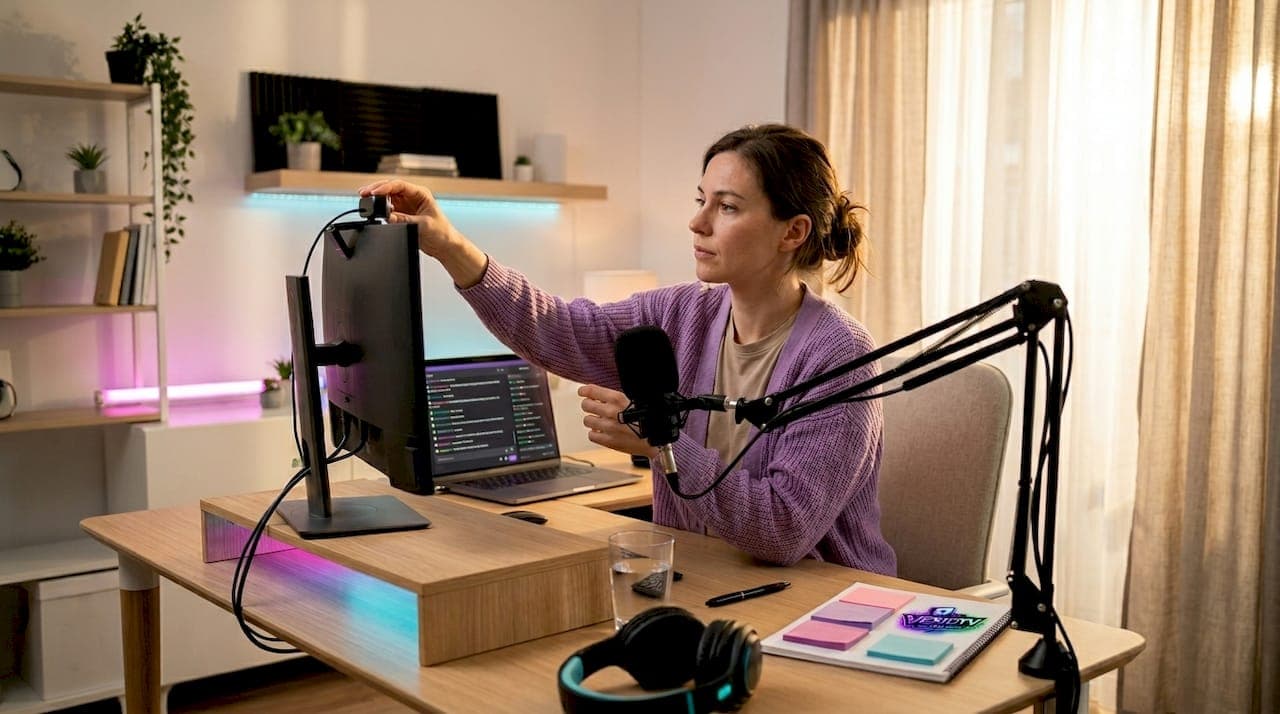
Pro Tip: Write your interaction beats on a sticky note and place it next to your monitor. Simple timing reminders, like "poll at 15 min" or "shoutout at 30 min," work better than trying to remember during a live stream.
Executing interactive engagement during your live stream
With your setup ready, let's look at proven tactics to run live, keeping your viewers involved and returning throughout the broadcast.
The first few minutes set the tone. Start with a simple question directed at chat, something easy like "Where is everyone joining from today?" or "What game do you want to see me play next?" Easy questions lower the barrier for first-time chatters and signal that you are paying attention.
Follow these steps once you are live:
- Open with a direct question. Do it within the first 90 seconds. Do not wait for chat to warm up on its own.
- Acknowledge early arrivals by name. Read the first few usernames out loud. This creates immediate loyalty.
- Run your first poll between minutes 10 and 15. Polling every 10 to 15 minutes is one of the highest-impact retention tools available. Announce it before it starts so viewers know to watch for it.
- Return to chat every 3 to 5 minutes. Read a few messages, react, and move on. Consistent rhythm builds trust.
- Switch your scene or camera angle every 10 to 20 minutes. Visual change resets viewer attention without requiring you to change the topic.
- Drop a cliffhanger before any break. Say "When I get back, I am going to reveal something about the next segment" before stepping away. Viewers stay to find out.
- Launch a giveaway that requires live presence to win. Announce it mid-stream, not at the start, to prevent early drop-off after the prize is claimed.
"Engagement tools only work if they are scheduled and announced. Viewers stay for what they expect to see next, not for surprises they didn't know were coming."
Here is a comparison of common engagement tactics by effort and impact:
| Tactic | Effort level | Viewer impact | Best timing |
|---|---|---|---|
| Direct question to chat | Low | High | First 2 minutes |
| Live poll | Low | High | Every 10 to 15 minutes |
| Giveaway | Medium | Very high | Mid-stream |
| Scene switch | Low | Medium | Every 10 to 20 minutes |
| Guest appearance | High | Very high | Planned segment |
| Cliffhanger before break | Low | Medium | Before every pause |
For deeper tactics on performing consistently in front of a camera, check out these perform live online tips that cover pacing, energy, and delivery in detail.
Pro Tip: Announce the next poll during your current poll. Say "Poll closes in 60 seconds, and we have another one coming in 12 minutes." Viewers now have a specific reason to stay.
Review live streaming tips from LiveReacting for additional timing frameworks and retention data. You can also refer to streaming best practices for a broader look at quality and consistency standards.
Managing live chat effectively to foster community and safety
Effective chat management is key, so let's look at how to moderate and pace your chat to build a welcoming and active community.
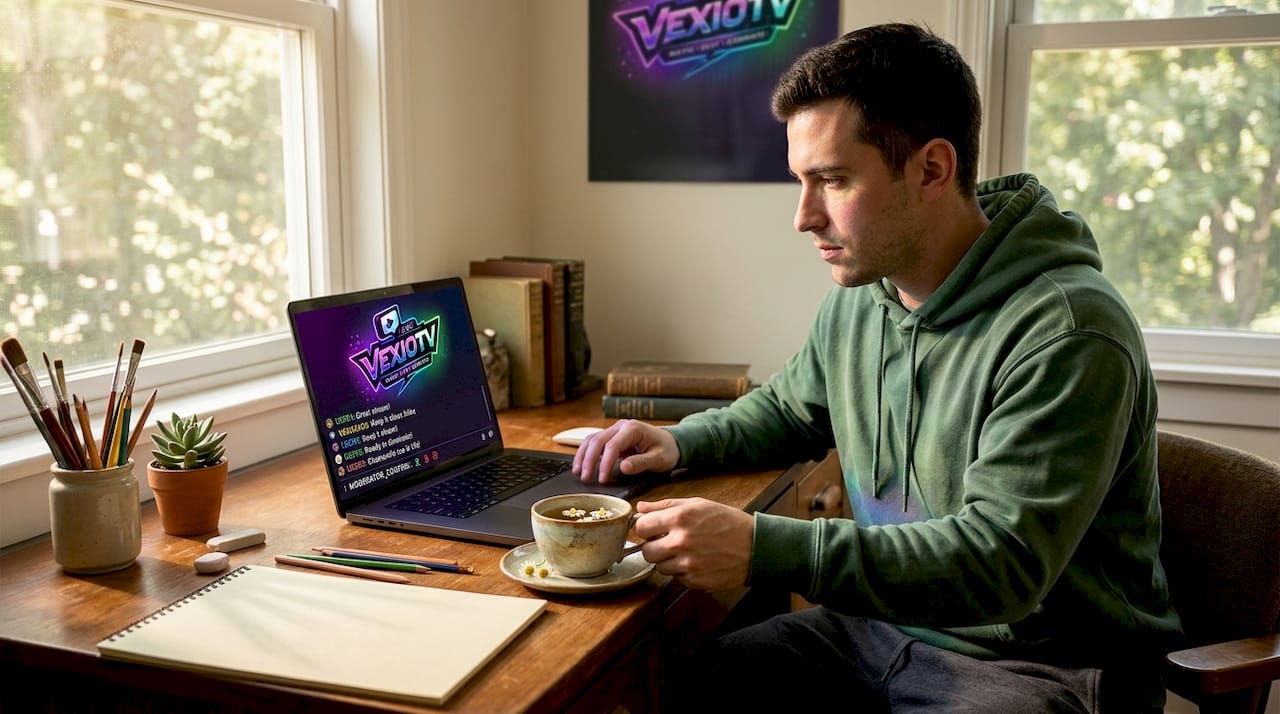
Chat is the primary interaction channel in live streaming. Without management, it becomes either a ghost town or an unmoderated mess. Both outcomes push viewers away. YouTube's live chat features like slow mode, message holding, and participation limits are designed exactly for this. Use them from the start, not after problems appear.
Here is what a healthy chat setup includes:
- Slow mode. Set it to 10 to 30 seconds between messages per user. This prevents any single viewer from flooding chat during high-traffic moments.
- Message holding. Messages flagged by keyword filters go into a review queue before they appear publicly. This protects new viewers from seeing harmful content.
- Participation limits. Restrict chat to subscribers or followers when you need to reduce noise during a focused segment.
- Pinned messages. Pin your poll announcement or giveaway rules at the top of chat so viewers can find it without scrolling.
- Planned chat check-ins. Every 5 minutes, pause your content briefly, summarize two or three chat messages out loud, and respond. This pattern builds community without pulling your attention away constantly.
Balance is the key challenge here. Focusing too much on chat while gaming or performing breaks your content flow. Ignoring chat for long stretches causes viewers to stop typing entirely. Schedule your check-ins the same way you schedule polls: at specific, planned moments.
Pro Tip: Assign a moderator to handle spam and flag messages worth reading aloud. Even one trusted mod frees you to focus on content without losing chat awareness. This is one of the most common streamer mistakes to avoid when managing growing channels.
Troubleshooting engagement challenges and common mistakes
Let's look at common mistakes that disrupt viewer engagement and how to fix them before they cost you your audience.
Even well-prepared streamers run into problems. The issues below are predictable, and each one has a direct solution.
- Not explaining interactive features. If a viewer joins mid-stream and sees a poll or giveaway with no context, they won't participate. Skipping upfront explanations causes low participation even when the feature is active. Introduce every interactive element with one short sentence: "This is a live poll, tap your answer below the stream."
- Silent gaps with no backup plan. Tech issues, loading screens, or game transitions create dead air. Plan for it. Have a chat question ready to ask during any pause.
- Responding to every chat message. Trying to read every comment slows down your content and rewards spam with attention. Respond to messages that connect to the current topic or represent your community well.
- Overhyping the Q&A segment. Announcing a dedicated Q&A block often results in a slow, awkward segment with low chat volume. Weave answers into your content naturally instead of stopping everything for a formal session.
- Faking energy. Viewers notice when excitement is performed rather than real. Tight transitions and scheduled engagement moments do more for momentum than a forced high-energy presentation style.
"Long silences and monologue-heavy segments are two of the fastest ways to lose viewers who disengage from streams without a clear reason to stay."
Pro Tip: Record a short clip of your last stream and watch it back without sound. If you can see where the pacing slows or your attention shifts away from the camera, those are the exact spots to fix with a planned interaction beat. Visit this guide on boosting live streaming skills for a structured review process.
Verifying success: measuring and sustaining viewer engagement
Let's look at how to track your engagement results and keep improving your live audience over time.
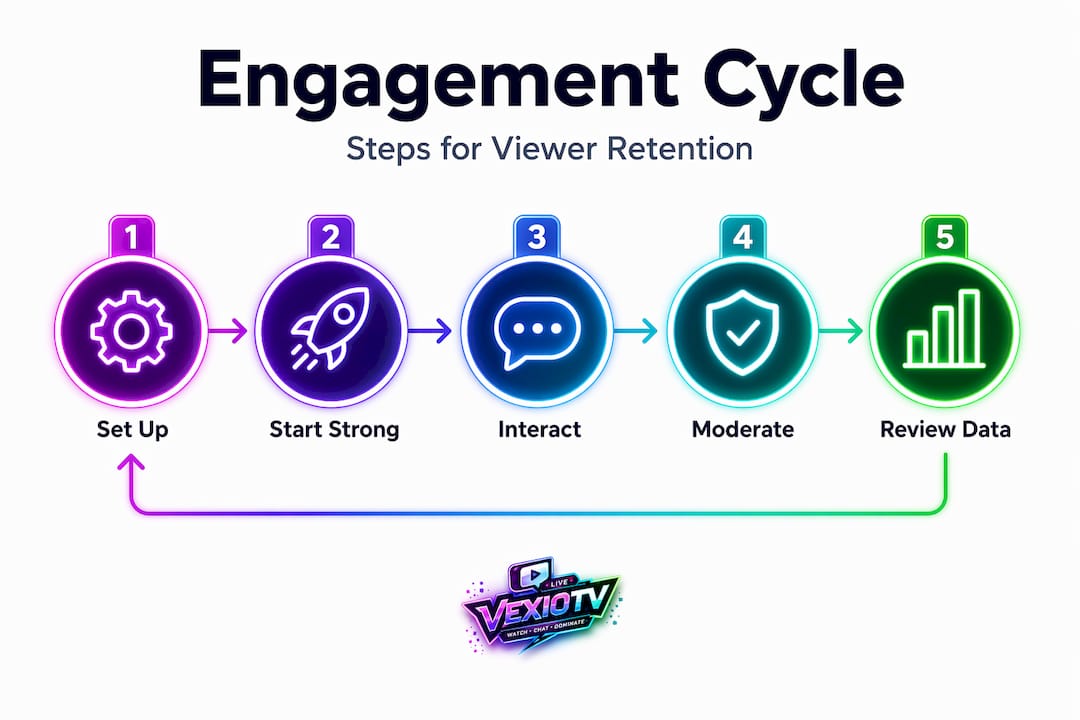
Execution matters, but data tells you whether your tactics are working. You cannot improve what you do not measure. The good news is that most platforms surface the key numbers directly in your dashboard.
| Metric | What it measures | Target benchmark |
|---|---|---|
| Average watch time | How long viewers stay per session | Increase 10% per month |
| Chat message volume | Total messages sent per stream | Rising trend over 4 weeks |
| Viewer return rate | Percentage of returning viewers | Above 25% is healthy |
| Peak concurrent viewers | Maximum live audience at one time | Track weekly for trend |
| Poll participation rate | Viewers engaging with polls vs. total live | Above 15% is strong |
Track these four habits to sustain engagement growth over time:
- Review your numbers after every stream. Note which segment produced the most chat messages. Repeat it next time.
- Adjust interaction timing based on data. If your 10-minute poll always outperforms your 30-minute one, move all polls earlier.
- Build consistent routines. Viewers return because they know what to expect. Same stream days, same segment structure, same giveaway format.
- Connect engagement to monetization. Interactive elements can produce up to 3x longer watch time, which directly improves algorithmic placement and revenue. Longer sessions also generate more chat volume, which platforms treat as a ranking signal.
Connecting engagement data to your growth plan is one of the clearest live streaming benefits available to creators who stream consistently.
Why structured interaction beats content alone for live engagement
Here is a direct take on why most streamers focus on the wrong thing.
The default assumption is that better content produces better engagement. More interesting gameplay, higher production value, sharper commentary. These things help. But they are not the primary driver of watch time or chat activity. Deliberate scheduling of interaction beats outperforms passive content improvements in almost every case.
Think about what actually keeps a viewer watching past the 10-minute mark. It is rarely the quality of the content alone. It is the expectation that something specific is about to happen: a poll result, a giveaway announcement, a guest appearance. That anticipation is built through structure, not charisma.
Leading interaction early and maintaining a predictable rhythm turns a broadcast into a shared experience. Viewers are no longer passive watchers. They become participants who have a reason to stay because their input is being acknowledged and acted on. That is a fundamentally different relationship between streamer and audience.
Creators who plan five interaction beats per hour consistently outperform creators with better content but no scheduled engagement. The structure is the product. You can read more about the benefits of live audience engagement to understand how this translates directly into channel growth and monetization outcomes.
The practical takeaway is simple: build your interaction schedule first, then build your content around it.
Boost your live streaming with VexioTV's integrated platform
You now have a clear playbook for how to engage viewers live. The next step is finding a platform that makes executing these tactics straightforward.
VexioTV is built for content creators in gaming and entertainment who want to go live fast and engage their audience without juggling multiple tools. The platform brings together chat features, interactive streaming tools, and monetization options in one place. You can schedule interaction segments, manage your community, and focus on your content rather than your tech stack. Whether you are a casual streamer or building a professional channel, VexioTV gives you the features you need to run structured, engaging broadcasts from day one.
Frequently asked questions
What are the best ways to keep viewers engaged during the first 10 minutes of a live stream?
Start talking immediately and ask an easy question to get chat moving within the first 90 seconds. Plan your first poll between minutes 10 and 15, since most viewers are lost early before any structured interaction kicks in.
How often should I run polls during my live broadcast?
Run polls every 10 to 15 minutes and announce when the next one is coming before the current one closes. Scheduled, announced polls are consistently the lowest-effort, highest-retention tactic available.
How can I manage live chat to keep it positive and engaging?
Use slow mode, message holding, and participation limits to shape the quality of your chat from the start. YouTube's live chat tools are a useful reference for how these features work in practice.
Should I respond to every chat message during my stream?
No. Focus on messages that connect to your current content or represent your community well. Return to chat every 3 to 5 minutes on a set rhythm rather than reacting to every message as it appears.
What metrics should I track to measure live viewer engagement?
Track average watch time, chat message volume, and viewer return rate after every stream. Interactive streams achieve up to 3x longer watch time, so use that as a baseline to measure whether your engagement tactics are working.