
TL;DR:
- Proper gear, stable internet, and quality audio are essential for reliable live streaming.
- Engaging viewers through interaction, consistency, and prompt chat responses builds loyalty.
- Authenticity and audience feedback are more impactful than perfect technology for long-term growth.
Live streaming looks simple until you're mid-performance and the audio cuts out, chat is silent, or your stream crashes. These frustrations are common for creators just getting started. The good news: a structured approach fixes most of them before they happen. This guide walks you through every stage, from gear selection to audience engagement, so you can go live with confidence. Whether you stream gaming, music, or creative content, the steps here will help you build a reliable setup, hold viewer attention, and grow a community that keeps coming back.
Table of Contents
- Get ready: Tools, platforms, and prerequisites
- Setting up: Step-by-step streaming launch checklist
- Command attention: Engaging your live audience
- Monetize and specialize: Gaming, music, and creative content tips
- Why audience trust and feedback matter more than perfect tech
- Take your streams further with VexioTV
- Frequently asked questions
Key Takeaways
| Point | Details |
|---|---|
| Preparation is critical | A strong setup and pre-stream checklist prevent most common streaming mistakes. |
| Prioritize audio quality | Good sound matters much more to audiences than flashy visuals or equipment. |
| Engagement drives retention | Consistent, interactive chat makes viewers stay and return to your streams. |
| Monetization is accessible | Donation tools and creative content can quickly boost streaming income. |
| Iterate and thrive | Successful performers adapt based on audience feedback and authentic connection. |
Get ready: Tools, platforms, and prerequisites
With the big picture in mind, let's get specific about the gear, platforms, and baseline requirements for a successful online show.
Your hardware is the foundation. A poor microphone or unstable connection will cost you viewers faster than anything else. Here's what you need at minimum:
- Microphone: A USB condenser mic (like the Blue Yeti) or an XLR setup with an audio interface
- Camera: A 1080p webcam or a DSLR/mirrorless camera with capture card
- Lighting: A ring light or two-point softbox setup to avoid harsh shadows
- Computer: At least a quad-core CPU with 8GB RAM; 16GB is better for encoding
- Internet: Stable upload speed of 5 to 10 Mbps minimum
For software, OBS Studio and Streamlabs are the two most widely used tools. Both are free and support interactive stream setup features like overlays, alerts, and scene switching. OBS is more customizable; Streamlabs is faster to configure for beginners.
Platform choice depends on your content type. Twitch favors gaming and real-time chat interaction. YouTube Live works well for music and longer-form content. Facebook Live reaches older, broader audiences. Each platform has its own stream key system, which connects your software to your channel.
For technical settings, 4500 to 6000 kbps bitrate is recommended for 1080p at 60 frames per second, with a 5 to 10 Mbps upload speed. You can also reference YouTube live streaming help for platform-specific encoding guidance.
| Setting | Recommended value |
|---|---|
| Bitrate (1080p60) | 4500 to 6000 kbps |
| Resolution | 1920x1080 |
| Frame rate | 30 or 60 fps |
| Upload speed | 5 to 10 Mbps |
| Audio bitrate | 128 to 192 kbps |
Following streaming best practices from the start saves you from rebuilding a broken setup later.
Pro Tip: Prioritize audio quality above everything else. Viewers will tolerate a slightly blurry video, but bad sound sends them away immediately.
Setting up: Step-by-step streaming launch checklist
With your essentials gathered, here's how to move seamlessly from prep to going live.
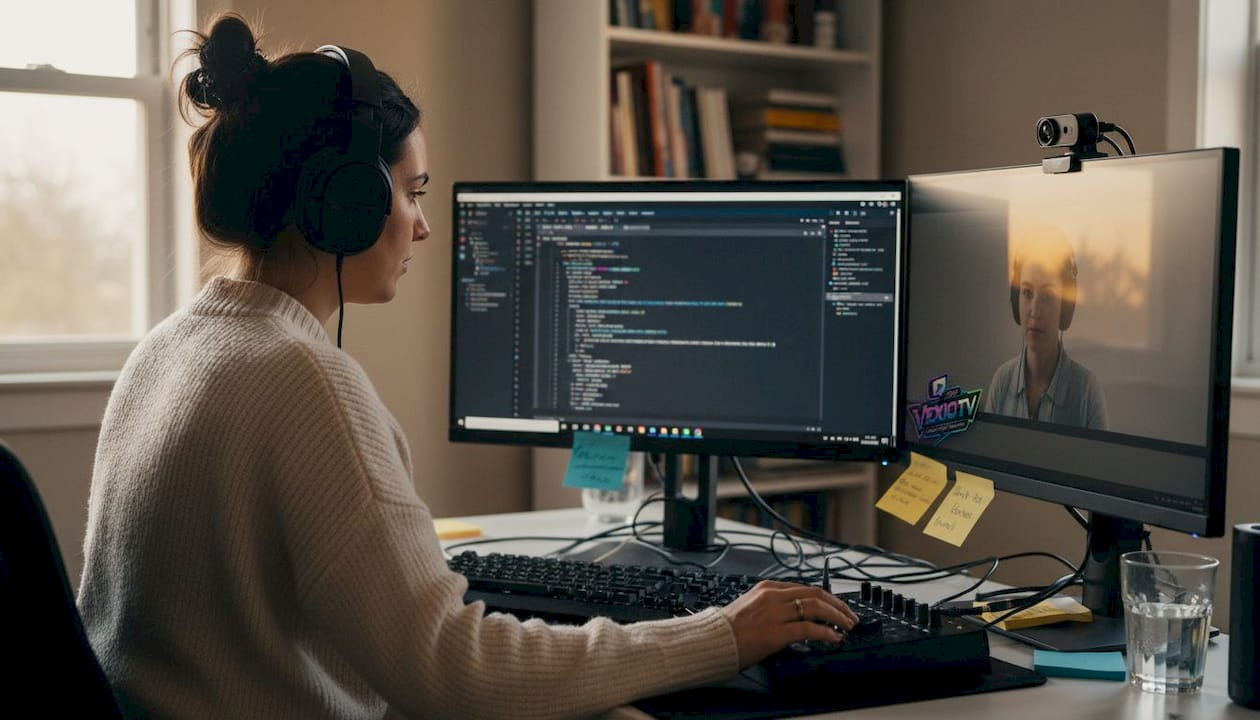
Setting up correctly the first time prevents most technical issues. Follow this checklist before every stream:
- Enter your stream key in OBS or Streamlabs under stream settings. Match it to the correct platform.
- Set your bitrate to 4500 to 6000 kbps for 1080p. Lower to 3000 kbps if your upload speed is inconsistent.
- Check audio sources. Confirm your mic is selected and levels peak between -12 and -6 dB. Use headphones to monitor without echo.
- Review your scene layout. Test all overlays, transitions, and alerts. Make sure your background is clean and lighting is even.
- Schedule and promote. Announce your stream at least 24 to 48 hours in advance on social media and in your community.
- Test your internet. Run a speed test. If upload drops below 5 Mbps, switch to a wired ethernet connection.
- Run a private test stream. Go live unlisted or in a private group to catch any last issues before the public broadcast.
Avoiding common streaming mistakes starts with this kind of pre-stream discipline. Test rigorously before going live to catch technical pitfalls that would otherwise interrupt your performance.
Here's a quick comparison of stream prep approaches:
| Approach | Result |
|---|---|
| No test stream | Higher risk of live technical failures |
| Private test stream | Issues caught before audience sees them |
| Promote 24+ hours ahead | Better viewer turnout and anticipation |
| Last-minute promotion | Lower attendance, less community buildup |
For music streamers, check out dedicated music streaming tools that address audio routing and copyright considerations specific to live performances. Understanding how streaming community impact works can also help you set realistic expectations for early streams.
Pro Tip: Run a private or unlisted test stream before every public broadcast. Even experienced streamers catch audio glitches, scene errors, or lighting issues this way.
Command attention: Engaging your live audience
Now that you're live, it's time to maximize viewer involvement.
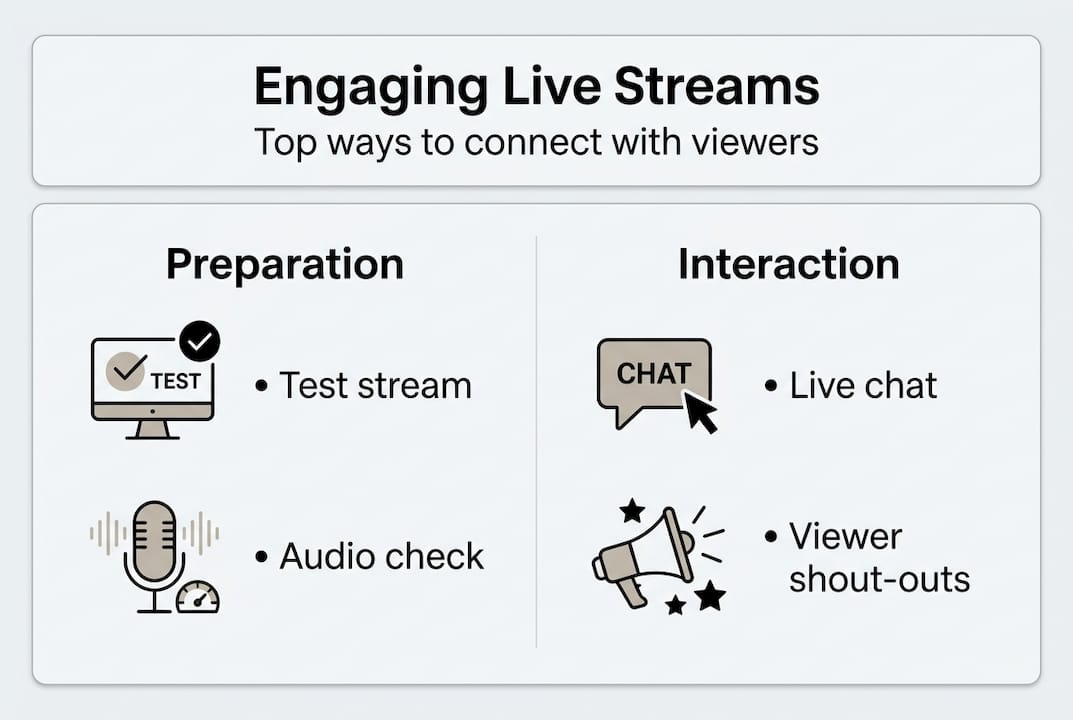
Getting people to show up is one challenge. Keeping them watching is another. Engagement is what separates a stream people remember from one they click away from after two minutes.
Here are the core engagement tactics that work:
- Stream on a consistent schedule. Same day, same time, every week. Viewers plan around predictable creators.
- Use viewer names in chat. Calling someone out by name makes them feel seen. It costs nothing and builds loyalty fast.
- Run polls and Q&A sessions every 10 to 15 minutes. Name-dropping in chat and polls every 10 to 15 minutes, along with prompt responses, maximize engagement.
- Keep sessions between 30 and 120 minutes. Shorter than 30 minutes feels rushed. Longer than two hours without a break loses casual viewers.
- Respond to chat quickly. Dead air in chat signals a disengaged host. Even a brief acknowledgment keeps the conversation alive.
Platform behavior differs. Twitch audiences expect rapid-fire chat interaction and visual overlays. YouTube viewers tend to stay longer and respond well to structured content with clear topics. Adjust your style accordingly.
"The creators who grow fastest are the ones who make every viewer feel like they matter. One name in chat can turn a passive watcher into a loyal fan."
For deeper tactics, chat engagement tips cover specific tools and formats. You can also explore creative streaming strategies and review stream types for growth to find the format that fits your content best. Review YouTube streaming policies to stay compliant while running interactive features.
Pro Tip: Multistreaming to several platforms at once can expand reach, but focus your community-building energy on one primary platform. Splitting attention too thin slows growth.
Monetize and specialize: Gaming, music, and creative content tips
For those seeking more than just audience growth, let's zero in on making your stream both profitable and personalized.
Different content types call for different monetization and production strategies. Here's how to approach each:
Music streamers
- Prioritize audio above all. Use 128 to 192 kbps AAC encoding and a quality audio interface.
- Avoid copyrighted music unless you have a license. Use original compositions or royalty-free tracks.
- Enable Super Chats and paid song requests. Super Chat revenue for music can reach $200 to $500 per stream with an engaged audience.
- For detailed artist-specific streaming tips, focus on building a setlist format viewers can follow.
Gaming streamers
- Use dynamic overlays that show recent followers, donations, and game stats in real time.
- Lean into chat-heavy formats. React to viewer suggestions, play viewer-submitted challenges, and run live polls on game decisions.
- Reaction and commentary content performs well because it creates a shared experience.
Creative and IRL streamers
- Diversify your formats. Alternate between tutorials, behind-the-scenes content, and live Q&A sessions.
- Encourage real-time requests and feedback. Viewers who influence the content stay longer.
- Use community building strategies to turn one-time viewers into regulars.
| Content type | Key focus | Monetization method |
|---|---|---|
| Music | Audio quality, original content | Super Chats, paid requests |
| Gaming | Chat interaction, overlays | Subscriptions, donations |
| Creative/IRL | Format variety, viewer input | Tips, memberships, merch |
Pro Tip: Start with basic gear. A $50 USB mic and good lighting outperform a $500 camera with poor audio every time. Upgrade gradually as your audience grows.
Why audience trust and feedback matter more than perfect tech
Bringing everything together, here's the real insight that most streaming guides skip.
There's a common assumption that better gear equals better streams. It doesn't. The creators who build lasting audiences are the ones who show up consistently, respond to their viewers, and treat feedback as a tool rather than a threat.
Audio quality and chat engagement matter most for retention, not expensive equipment. A streamer with a $80 mic who talks with their audience will outlast a technically perfect broadcast that feels cold and one-directional.
Mistakes happen live. How you handle them matters. Acknowledge the issue, fix it, move on. Viewers respect that. It builds trust in a way that a flawless production never can.
Start simple. Stream regularly. Read your chat. Ask what your audience wants. Then adjust. The feedback loop between you and your viewers is the most valuable tool you have. Building streaming communities takes time, but consistency and authenticity are what make it happen. Perfection is not the goal. Connection is.
Take your streams further with VexioTV
Ready to level up your live shows and make the most of these strategies?
VexioTV live streaming solutions give creators a dedicated space to go live with one click, engage their audience in real time, and earn from their content. Whether you stream gaming, music, or creative performances, VexioTV provides the tools and community infrastructure to support your growth.
Sign up, go live, and start building the audience you've been working toward. The platform is built for creators who are serious about their content and want a straightforward way to stream, connect, and monetize without the complexity.
Frequently asked questions
What equipment do I need to perform live online?
You'll need a reliable microphone, webcam or camera, strong internet with at least 5 Mbps upload speed, a capable computer, and streaming software like OBS Studio or Streamlabs.
How can I keep my live audience engaged?
Interact in real time by using polls, addressing viewers by name, answering questions quickly, and streaming on a consistent schedule. Polls every 10 to 15 minutes and name-dropping in chat are proven engagement drivers.
Is audio or video quality more important for streaming?
Audio quality matters more for viewer retention. Audiences will tolerate average video but will leave quickly if the sound is poor or unclear.
What's the best way to monetize my live stream?
Enable donations, Super Chats, and paid requests. For music streams in particular, Super Chat revenue can reach $200 to $500 per stream with an engaged audience.