
TL;DR:
- Consistent scheduling builds audience habits and boosts platform algorithm ranking.
- Reliable technical setup prevents stream disruptions and enhances viewer retention.
- Active chat engagement and authentic content foster community growth and long-term loyalty.
Most streamers go live with good intentions but no clear plan. The result: inconsistent schedules, choppy video, and chat that stays silent. With thousands of creators competing for attention on platforms like Twitch, YouTube, and VexioTV, the gap between streamers who grow and those who stall comes down to a handful of repeatable practices. This article cuts through the noise and focuses on what actually works. You will find specific guidance on scheduling, technical setup, chat engagement, and content focus, all backed by reliable sources and organized so you can act on each section right away.
Table of Contents
- Prioritize consistency: Scheduling and audience habits
- Nail the technical essentials for reliable streams
- Boost engagement: Chat, interactivity, and community
- Content focus: Authenticity, niche, and off-platform growth
- Our perspective: What most streaming advice leaves out
- Ready to level up your streaming on VexioTV?
- Frequently asked questions
Key Takeaways
| Point | Details |
|---|---|
| Consistency wins | Keeping a regular schedule is the simplest way to build loyal viewership and platform reach. |
| Get the tech right | Proper technical setup prevents disruptions and earns credibility with viewers. |
| Engage every viewer | Active, chat-driven streams create a stronger, stickier community. |
| Be authentic and share | Let your personality and off-platform clips attract an audience primed for growth. |
Prioritize consistency: Scheduling and audience habits
Consistency is the single most controllable factor in stream growth. Viewers build habits around creators they can count on. When you stream at the same time each week, your audience knows when to show up, and platforms reward that predictability.
Consistent scheduling builds audience habits and boosts algorithm priority on platforms like YouTube and Twitch. Algorithms on these platforms track watch time, return visits, and session frequency. A streamer who goes live every Tuesday and Thursday at 7 PM trains both the algorithm and the audience to expect content at those times. That reliability translates directly into higher placement in recommendations and discovery feeds.
For gaming streamers, themed days add another layer of loyalty. Consider running a "community challenge Tuesday" or a "viewer vote Friday" where the audience picks the game. These formats give people a reason to return beyond just watching you play. They create a ritual, and rituals keep audiences coming back.
Exploring different types of live streams can also help you find which formats your audience responds to best, whether that is IRL content, competitive gaming, or creative sessions.
Here are the core habits that support a consistent streaming schedule:
- Set a fixed streaming calendar and publish it on your profile and social channels
- Announce upcoming streams at least 48 hours in advance to maximize turnout
- Use platform scheduling tools to create event listings viewers can set reminders for
- Keep stream lengths consistent so viewers know how long to plan for
- Review your schedule monthly and adjust based on viewer attendance data
"The streamers who grow fastest are not always the most talented. They are the most predictable." Audiences return to creators they can plan around.
Pro Tip: Use a free scheduling tool like Google Calendar or Notion to map out your streaming month in advance. Share it publicly so your community can hold you accountable.
Consistency does not mean streaming every day. Two to three focused sessions per week, delivered reliably, outperform daily streams that feel rushed or low energy.
Nail the technical essentials for reliable streams
Consistency keeps your viewers returning, but without technical reliability, you will struggle to retain them. A stream that buffers, drops frames, or loses audio mid-session sends viewers elsewhere fast.
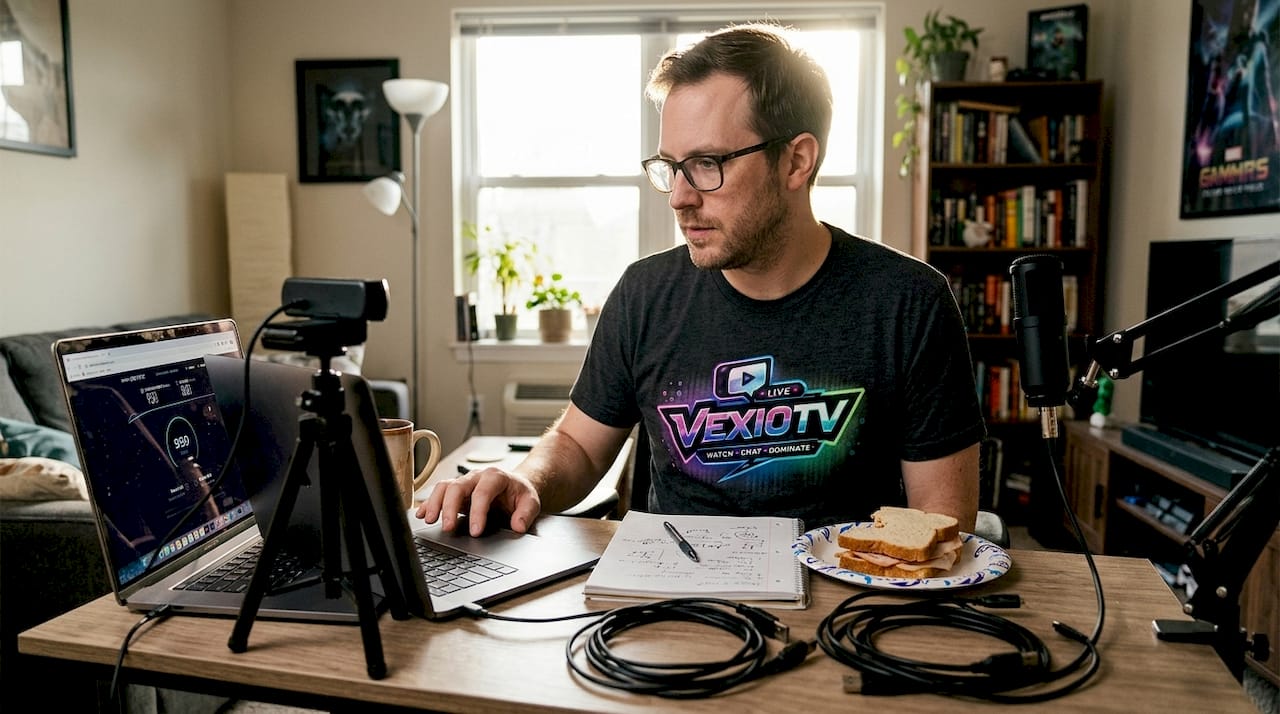
For 1080p60 streaming, use a bitrate of 4500 to 6000 kbps and always test your upload speed with 20 to 50 percent headroom above your target bitrate. If your upload speed is 10 Mbps, do not stream at 8 Mbps. Leave room for network fluctuations.
Here is a quick reference for common stream quality settings:
| Resolution | Frame Rate | Recommended Bitrate | Min Upload Speed |
|---|---|---|---|
| 720p | 30fps | 2500-4000 kbps | 6 Mbps |
| 1080p | 30fps | 3500-5000 kbps | 8 Mbps |
| 1080p | 60fps | 4500-6000 kbps | 10 Mbps |
| 1440p | 60fps | 6000-9000 kbps | 15 Mbps |
Encoder choice matters too. NVENC (for NVIDIA GPUs) and x264 are the two most widely used options. NVENC offloads encoding to your GPU, which reduces CPU strain during gameplay. Use CBR (constant bitrate) rate control for stable, professional output. Avoid VBR (variable bitrate) for live streaming because it causes inconsistent quality during fast motion.
Avoid common streamer mistakes like skipping pre-stream checks or ignoring VOD storage settings.
Follow this checklist before every stream:
- Run a speed test and confirm upload headroom
- Check audio levels in OBS or your streaming software
- Verify your scene layout and overlays are loading correctly
- Enable VOD storage so viewers can watch replays
- Test your backup internet connection or mobile hotspot
- Do a 2 to 3 minute private test stream before going public
Pro Tip: Keep a mobile hotspot charged and ready. If your home internet drops mid-stream, you can switch to mobile data and keep the session alive without losing your audience.
VOD storage is often overlooked. Enabling it means viewers who miss the live session can still watch, which extends your content's reach and increases total engagement over time.
Boost engagement: Chat, interactivity, and community
Even a flawless technical stream needs human engagement to truly thrive. Chat activity is not just a social feature. It is a ranking signal that platforms use to measure stream quality and viewer interest.
Interactive prompts every 30-60 seconds are recommended for streams with under 50 concurrent viewers. That means asking questions, running polls, or calling out viewer names regularly. Do not wait for chat to come to you.
Here is a comparison of engagement strategies by stream size:
| Stream Size | Best Engagement Tactic | Frequency |
|---|---|---|
| Under 50 CCV | Direct chat questions | Every 30-60 seconds |
| 50-200 CCV | Polls and viewer votes | Every 5-10 minutes |
| 200+ CCV | Channel point rewards | Ongoing |
Building community rituals makes a real difference. Shout out returning viewers by name. Create a recurring segment, like a "viewer clip of the week" or a community goal tracker visible on screen. These small touches signal to your audience that they are part of something, not just watching a screen.
Setting up an interactive stream setup with tools like channel points, alerts, and overlays can make your stream feel more dynamic without adding complexity. You can also learn more about how chat enhances live streams and why it matters for long-term community building.
Key engagement practices to apply right now:
- Ask a specific question at the start of every stream to get chat moving
- Use polls to let viewers influence gameplay or content decisions
- Acknowledge new followers and subscribers immediately
- Set community goals (like reaching a follower milestone) and track progress on screen
- Create a channel-specific phrase or inside joke that regulars can use
"The chat is not background noise. It is your co-host. Treat it that way and your retention numbers will show it."
Small streams should not feel discouraged by low chat volume. Even one active viewer responding to your prompts creates visible momentum that encourages others to join in.
Content focus: Authenticity, niche, and off-platform growth
Engaging your audience in real time is crucial, but what you stream and how you share it off-platform can be just as decisive. Content strategy is where many streamers leave growth on the table.
Authenticity outperforms polish for gaming streams, and off-platform clips drive growth. Viewers connect with creators who feel real, not produced. A genuine reaction to a tough boss fight or an honest conversation about a game's flaws builds more trust than a scripted intro.
Niche content attracts dedicated viewers. Speedrunning a specific game, hosting weekly Q&A sessions, or running community-voted playthroughs all create a defined identity. That identity is what makes someone say "this is my streamer" instead of just another channel they visited once.
Off-platform growth is non-negotiable in 2026. Clip your best moments and post them to TikTok, YouTube Shorts, and Instagram Reels. A 30-second clip of a funny in-game moment or a clutch play can reach thousands of people who have never heard of your channel. Check out platform growth insights for data-backed strategies on expanding your reach.
Burnout is a real threat. Streaming five days a week without a plan leads to lower quality content and eventual dropout. Rotate your formats to keep things fresh for both you and your audience. Understanding gaming culture and community can also help you connect your content to broader trends your viewers care about.
Content practices that support long-term growth:
- Identify two to three content pillars (game genre, format, tone) and stick to them
- Clip highlights during or after every stream using tools like Medal or OBS replay buffer
- Post clips consistently on at least two off-platform channels
- Schedule one "experimental" stream per month to test new formats without pressure
- Set a maximum weekly stream hours limit and treat it like a work boundary
Pro Tip: Use your stream's most-clipped moments as a guide for what content to double down on. If viewers keep clipping your commentary, lean into that. Data tells you what is working.
Our perspective: What most streaming advice leaves out
Most streaming guides focus on gear lists and scheduling templates. Those matter, but they miss the deeper layer. The streamers who sustain growth are not the ones with the best microphones. They are the ones who regularly check in on their stream's identity and adjust when something feels off.
The "one-size-fits-all" formula fails more creators than it helps. What works for a speedrunner does not work for a music streamer. Success comes from identifying which practices resonate with your specific audience and doubling down on those, not copying what a top creator does.
Experimenting without abandoning authenticity is the real skill. Streamers who test new formats while staying true to their voice tend to avoid burnout and maintain viewer trust over time. Understanding why streaming is popular can help you see where your content fits into the bigger picture and make smarter decisions about where to focus your energy.
Ready to level up your streaming on VexioTV?
The best practices covered here apply across platforms. Consistent scheduling, solid technical setup, active chat engagement, and authentic content work whether you are on Twitch, YouTube, or VexioTV.
VexioTV is built for creators who want to go live without friction. One click to start streaming, integrated community tools, and monetization options that let you earn from your content. If you are ready to put these practices into action, sign up on VexioTV and start building your audience in a space designed for entertainment and gaming creators. Explore the platform, set your schedule, and go live.
Frequently asked questions
What is the ideal bitrate for high-quality streams?
For 1080p60, use 4500-6000 kbps and always leave 20 to 50 percent of your upload speed as headroom to prevent buffering and dropped frames.
How can I keep chat engaged during streams with few viewers?
Prompt chat every 30-60 seconds with direct questions, polls, or interactive segments to maintain activity even when viewer count is low.
What technical checks should I do before going live?
Run a pre-stream tech check at least 30 minutes before, confirm your backup internet is ready, and make sure VOD storage is enabled so viewers can watch replays.
Are these best practices different for platforms like VexioTV?
Core mechanics like consistency, tech stability, and engagement loops transfer directly to VexioTV. Just adjust bitrate and encoder settings to match the platform's specific technical requirements.