
TL;DR:
- Effective promotion involves preparing your stream early by scheduling, sharing trailers, and creating anticipation at least 48 hours in advance.
- Active cross-platform promotion, including social posts, teasers, and community engagement, maximizes audience reach before going live.
- Using platform-specific tools like Twitch raids and YouTube notifications further boosts live attendance and audience growth strategically.
You create quality live content. You go live. And then you wait, watching that viewer count stay frustratingly low. Knowing how to promote live streams is what separates creators who build real audiences from those who stream to an empty room. Promotion is not optional. It is the work that happens before, during, and after your broadcast. This article covers the exact methods gaming and entertainment creators use to fill their streams with engaged viewers, from pre-stream prep to post-broadcast outreach.
Table of Contents
- Preparing your live stream for promotion
- Executing cross-platform promotion to maximize audience reach
- Leveraging platform-specific features like Twitch raids and YouTube notifications
- Avoiding common mistakes and optimizing your promotion strategy
- Measuring promotion success and refining your approach
- Why early, layered promotion beats last-minute hype every time
- Boost your live streaming success with VexioTV
- Frequently asked questions
Key Takeaways
| Point | Details |
|---|---|
| Early promotion essential | Sharing your stream link at least 48 hours ahead activates platform algorithms and viewer notifications effectively. |
| Utilize platform tools | Leverage features like Twitch raids and YouTube ‘Notify me’ buttons to engage audiences and extend reach. |
| Cross-platform strategy | Promote your stream across social media, email, and websites to maximize audience exposure and anticipation. |
| Quality before ads | Ensure consistent schedules and engaging content before investing in paid promotions for better retention. |
| Post-stream repurposing | Use highlight clips, Shorts, and community engagement after your live event to grow and maintain your audience. |
Preparing your live stream for promotion
Having introduced why promotion matters, the first step is getting your stream and channels ready before you ever hit Go Live.
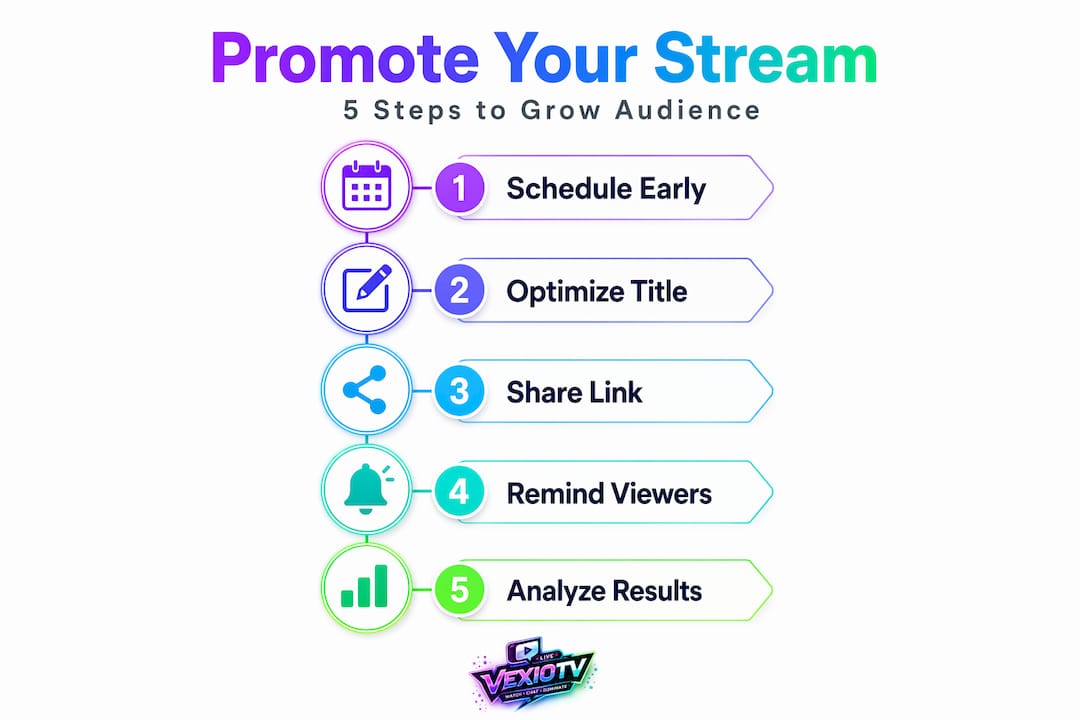
Many creators skip this stage entirely. They schedule a stream and share a single post an hour before broadcast. That approach leaves most of your potential audience uninformed. YouTube recommends sharing your streaming link at least 48 hours before going live, along with creating a Live section and adding trailers to build anticipation. This window gives the platform's algorithm time to surface your stream to subscribers and recommended feeds.
Here is what to set up before any promotion begins:
- Schedule your stream in advance. A scheduled stream creates a unique watch page URL you can share everywhere.
- Upload a short trailer video to that watch page. Even 30 to 60 seconds of edited highlights, game footage, or a direct camera announcement works well.
- Complete your channel profile. Add a banner, fill in your About section, and connect your social media accounts. First impressions matter when new visitors land on your page.
- Create a Live section on your channel so returning visitors can see your upcoming schedule at a glance.
Once those basics are in place, follow this pre-stream checklist before each broadcast:
- Create and schedule the stream at least 72 hours out.
- Upload a trailer or teaser clip to the stream's watch page.
- Copy the watch page URL and prepare social posts for each platform.
- Share the link 48 hours before and again 2 to 4 hours before going live.
- Post a final reminder 15 to 30 minutes before broadcast.
Pro Tip: A live performance streaming guide can help you structure your stream content so your trailer actually gives viewers a reason to show up. Strong content previews convert casual scrollers into confirmed attendees.
| Preparation action | When to do it | Why it matters |
|---|---|---|
| Schedule stream | 72+ hours before | Creates watch page and starts algorithm indexing |
| Upload trailer | 48 to 72 hours before | Builds anticipation and explains your content |
| Share stream link | 48 hours before | Triggers platform notification system |
| Second reminder post | 2 to 4 hours before | Recaptures audience with shorter attention spans |
| Final reminder | 15 to 30 minutes before | Converts last-minute viewers |
These steps take less than an hour per stream. They consistently outperform posting no promotion at all. Check out these creative live streaming tips for ideas on making your content hooks stronger before you even start promoting.
Executing cross-platform promotion to maximize audience reach
With your stream prepped, the next move is active promotion across every channel where your audience already spends time.
One of the best ways to advertise live streams is to meet viewers on the platforms they already use daily. StreamHub recommends promoting scheduled streams using watch-page URLs, short teaser clips, and Community posts for pre-stream engagement. This is cross-platform streaming promotion in practice.
Follow these steps for each stream:
- Post a Community tab update on YouTube with your stream link and a short description of what viewers will see.
- Create an Instagram Story with a countdown sticker set to your go-live time. Viewers can tap to get a reminder notification automatically.
- Post on X (formerly Twitter) with your stream link, a short hook, and relevant hashtags related to your game or content type.
- Send an email newsletter to your subscriber list with a short preview of the stream. Include the watch page link prominently.
- Embed your stream or add a banner to your website or link-in-bio page to capture organic traffic.
- Create a short teaser clip (15 to 30 seconds) from past content and post it as a Reel, Short, or TikTok to generate interest.
Here is a comparison of promotion channels for gaming and entertainment streamers:
| Promotion channel | Best for | Effort level | Reach potential |
|---|---|---|---|
| YouTube Community posts | Existing subscribers | Low | Medium |
| Instagram Stories with countdown | Visual audiences, younger demographics | Medium | High |
| Email newsletter | Loyal returning fans | Medium | High (for engaged lists) |
| Short teaser clips (Reels/Shorts) | New audience discovery | Medium to high | Very high |
| Website/blog embed | Organic search traffic | Low | Medium |
| X (Twitter) posts | Real-time and gaming audiences | Low | Medium |
Pro Tip: Consistent scheduling is one of the most underused ways to promote streams. When you stream at the same time each week, regular viewers build a habit. You stop needing to remind them as heavily because your time slot becomes part of their routine. Explore more live streaming promotion strategies to build that routine-based audience.
Leveraging platform-specific features like Twitch raids and YouTube notifications
Beyond general cross-platform promotion, individual platforms offer tools built specifically to boost live stream engagement and grow your audience from within the platform itself.
Twitch raids are one of the most effective live show promotion methods available. A raid on Twitch redirects your live viewers to another streamer's channel at the end of your broadcast. This builds community ties, earns goodwill from fellow creators, and often results in return raids that send their audiences back to you. It is mutual promotion at zero cost.
Use raids to:
- Connect with creators in your genre or niche who have similar or complementary audiences.
- End your stream on a positive note by giving your viewers something to watch after you sign off.
- Build streamer collaboration strategies that turn one-time raids into regular cross-promotion partnerships.
On YouTube, the notification system works differently but is equally important. YouTube streams notify subscribers automatically, and viewers can also opt in for a specific reminder through the "Notify me" button on your scheduled stream's watch page. This creates a layered reminder system. Some viewers get the push notification. Others set a manual reminder. Together, they significantly increase your live attendance rate.
Pro Tip: Announce your Notify me option out loud during streams. Say something direct: "Hit that Notify me button on my next stream so you don't miss it." On-screen graphics pointing to the button reduce viewer friction and increase opt-in rates. Learn more about gaming live streams community growth to understand how these platform tools fit into a broader community-building approach.
Avoiding common mistakes and optimizing your promotion strategy
Now that you know what to do, here are the mistakes that consistently hold creators back and how to fix them.
Common promotion mistakes to avoid:
- Promoting the stream less than 12 hours before going live. Platform algorithms need time to process and surface your content.
- Posting the same text across every platform without adapting the format or tone for each audience.
- Investing in paid ads before your stream has stable quality, consistent scheduling, or a defined content hook.
- Ignoring viewer comments and questions after the stream ends.
Paid promotion is an accelerant, not a fix. Before you spend on ads, your stream needs good audio quality, a consistent schedule, and a reason for viewers to return. Ads will amplify what is already working. They will not rescue a poorly promoted or low-quality stream.
Here is how to optimize your promotion approach:
- Track which platforms drive the most clicks to your watch page using UTM parameters or built-in analytics.
- Analyze viewer drop-off during the stream to identify when you lose people and why.
- Test different posting times for your pre-stream announcements. Morning posts may perform better for your audience than evening ones.
- Engage with every comment on your pre-stream posts. It signals activity to platform algorithms and builds anticipation.
"Stream quality, schedule consistency, and a clear content hook are the foundation. Paid promotion builds on that foundation. Without it, you are spending money to promote something that doesn't yet retain viewers."
Pro Tip: Reply to comments on your promotional posts in the 24 hours before your stream. Each reply increases post visibility and reminds commenters that your stream is coming. Check the streaming best practices guide to make sure your technical setup matches your promotion efforts.
Measuring promotion success and refining your approach
After avoiding mistakes, evaluating what is actually working ensures your promotion efforts get stronger with each broadcast.
- Check peak concurrent viewers during your stream and correlate spikes with specific promotion actions.
- Review traffic sources in your platform analytics to see whether viewers came from social media, search, notifications, or direct links.
- Track click-through rates on emails and social posts to identify which format and copy drive the most clicks.
- Collect viewer feedback in post-stream polls or community posts to understand what brought them in and what would bring them back.
Analyzing audience analytics and engagement metrics helps you tailor promotional channels and repurpose content for continued growth. Clip your best stream moments and post them as Shorts or Reels. These clips continue driving traffic to your channel long after the live event ends.
| Metric to track | What it tells you | Action to take |
|---|---|---|
| Peak concurrent viewers | Which promotion drove the biggest audience | Double down on that channel next stream |
| Traffic source breakdown | Where viewers discovered your stream | Allocate more effort to top sources |
| Email click-through rate | How effective your newsletter promotion is | Test different subject lines and previews |
| Viewer drop-off points | Where content loses momentum | Revise stream structure or pacing |
| Clip/Short views post-stream | How well repurposed content extends reach | Increase clip frequency for high-retention segments |
Pro Tip: Repurpose your top 3 performing stream moments into short-form clips every week. These function as live streaming analytics proof points and ongoing promotional content at the same time. One strong stream can generate a week's worth of social content.
Why early, layered promotion beats last-minute hype every time
Most creators treat live stream promotion as a single announcement. Post a link. Go live. Hope for the best. This misses how platform notification systems actually work and how viewer behavior actually operates.
YouTube's notification system creates a reminder ladder. Viewers receive an initial notification when you schedule the stream. They receive another when the stream starts. If they clicked "Notify me," they get an additional reminder. That is three potential touchpoints from one scheduled stream. But only if you scheduled it far enough in advance to trigger the first notification before viewers forget about it.
The argument for early, layered promotion is not just about algorithms. It is about human attention. Viewers do not block off time for live streams the way they might plan around a TV show. They forget. They get busy. A single post 30 minutes before broadcast catches only the viewers who are already watching their feeds at that exact moment.
A layered approach, meaning a teaser 72 hours out, a reminder 48 hours out, a Community post the day before, a Stories countdown, and a final alert 15 minutes before, does not need to be labor-intensive. Template your posts. Batch-create your teasers. Set calendar reminders to publish at the right times.
The creators who build stable, growing audiences treat each stream like a small event with a proper run-up, not a spontaneous broadcast. That shift in thinking changes everything about how you plan and execute live performance streaming insights.
Boost your live streaming success with VexioTV
To put everything you have learned into action, you need a platform built for creators who take their streams seriously.
VexioTV gives content creators a dedicated space to go live with one click across gaming, music, IRL content, and creative performances. The platform is built around community building and creator monetization, so your promotion efforts translate into real audience growth and real revenue. You get the tools to schedule streams, engage your community, and earn from your content, all in one place. Sign up, go live, and start growing your audience on a platform designed for creators who are ready to build something real.
Frequently asked questions
How far in advance should I share my live stream link for best promotion?
Share your streaming link at least 48 hours before going live to maximize platform notifications and viewer anticipation. Earlier sharing gives algorithms more time to surface your content to subscribers.
What are Twitch raids and how do they help promote live streams?
A Twitch raid sends your live viewers to another streamer's channel at the end of your broadcast, building community ties and creating opportunities for return raids that grow both audiences. It costs nothing and generates goodwill in your niche.
When is a good time to invest in paid promotions for live streams?
Paid promotion works best after you have a consistent schedule, solid viewer retention, and a clear content hook, because ads amplify what already works rather than fix what does not. Run ads only once your organic promotion is generating steady engagement.
How can YouTube notifications help increase live stream attendance?
YouTube streams automatically notify subscribers and give viewers the option to opt in for a specific reminder via the "Notify me" button, creating multiple touchpoints before your stream starts. This reminder ladder significantly increases the number of viewers who actually show up live.
What post-stream activities help extend the reach of live streams?
Repurposing live stream content into highlight clips and Shorts attracts new viewers who missed the live event and extends the promotional lifespan of each broadcast. Responding to comments and updating your stream's title and description post-broadcast also help with ongoing discoverability.